
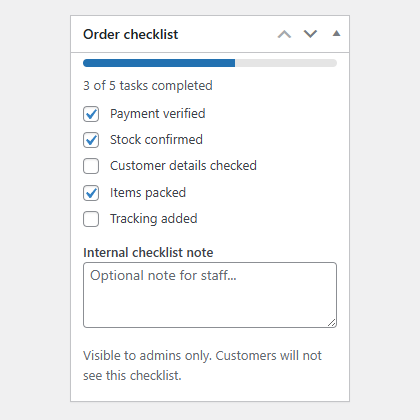
Plugnition Order Checklist for WooCommerce
Plugnition Order Checklist for WooCommerce helps store admins create a simple internal checklist for each WooCommerce order, making it easier to track fulfillment, review steps, and avoid missed tasks.
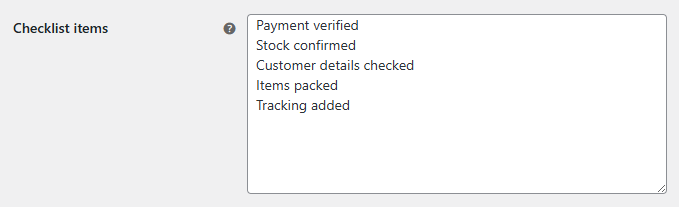
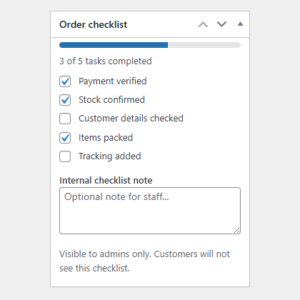
Add custom checklist items such as “Verify payment”, “Pack items”, “Attach invoice”, “Check shipping address”, or “Mark as ready for dispatch”, then complete them directly from the order edit screen.
Key Features
- ✅ Add an internal checklist to WooCommerce orders
- ✅ Create reusable checklist items from the plugin settings
- ✅ Mark order-specific tasks as complete or incomplete
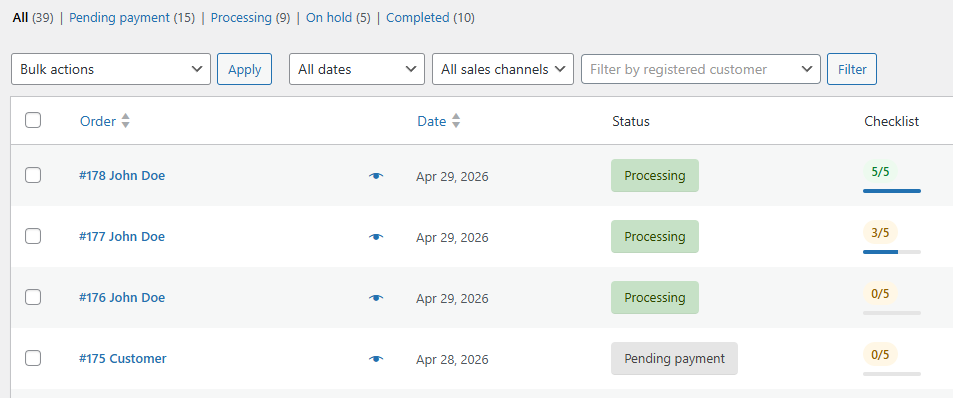
- ✅ View checklist progress directly in the orders list
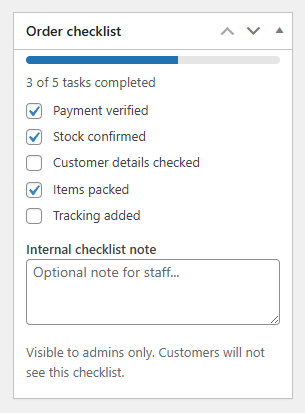
- ✅ Add an internal staff note per order
- ✅ Works with classic WooCommerce orders and HPOS
- ✅ Lightweight, simple, and admin-friendly
Why Use This Plugin?
Order processing often involves several small but important steps. Without a clear checklist, it is easy for staff to miss something, especially when multiple team members manage the same orders.
This plugin gives every order its own internal checklist, helping your team stay organized and consistent from payment review to final dispatch.
Perfect For
- WooCommerce stores with manual fulfillment steps
- Shops that need order preparation checks
- Teams that want a simple internal order workflow
- Stores selling custom, handmade, digital, or B2B products
- Admins who want better visibility in the orders list
Simple Order Workflow
Once checklist items are configured, they appear inside each order. Staff can tick off completed steps, save progress, and instantly see how much of the checklist has been completed.
The orders list also shows checklist progress, making it easier to spot orders that still need attention.
Lightweight and Practical
We’ve built the Plugnition Order Checklist for WooCommerce to be simple and focused. It does not add complex project management tools or unnecessary overhead — just a clean checklist system where WooCommerce admins need it most.
Frequently Asked Questions
What does the WooCommerce Order Checklist plugin do?
The plugin adds an internal checklist to WooCommerce orders, helping store staff track fulfillment, verification, packing, shipping, and other order-processing tasks.
Can I create my own checklist items?
Yes. You can create reusable checklist items in the plugin settings, such as “Verify payment”, “Check shipping address”, “Pack items”, “Attach invoice”, or any other steps required by your workflow.
Can checklist items be completed separately for each order?
Yes. Every order has its own checklist, allowing staff to mark individual tasks as complete or incomplete directly from the order edit screen.
Can I see checklist progress in the orders list?
Yes. The plugin displays checklist progress directly in the WooCommerce orders list, making it easy to identify orders that still require attention.
Can staff add notes to an order checklist?
Yes. An internal staff note can be added to each order, providing additional information or instructions related to its processing.
Are the checklist and staff notes visible to customers?
No. The checklist and its notes are designed for internal store administration and are not displayed to customers.
Can multiple team members use the same order checklist?
Yes. Store staff with access to WooCommerce orders can view the checklist, complete tasks, and track the order’s progress, helping teams follow a consistent workflow.
Does the plugin support WooCommerce HPOS?
Yes. The plugin is compatible with WooCommerce High-Performance Order Storage (HPOS) as well as the classic WooCommerce order system.
Reviews
There are no reviews yet.