Managing orders in WooCommerce is usually straightforward, but sometimes customers place multiple separate orders when they intended to buy everything together. This can create extra work for store admins, warehouse teams, and accounting staff.
In this guide, we’ll explain why you may need to merge WooCommerce orders, what WooCommerce allows by default, and the easiest way to combine multiple orders into one.
Why Merge Orders in WooCommerce?
There are several common situations where merging orders can be useful:
- A customer accidentally places two separate orders.
- A customer adds extra products after placing the first order.
- You want to ship multiple orders in one package.
- You want to reduce duplicate shipping labels or tracking numbers.
- You need cleaner order management for accounting or fulfillment.
Instead of processing each order separately, merging them can help keep everything organized under a single WooCommerce order.
Can WooCommerce Merge Orders by Default?
No. WooCommerce does not include a built-in feature to merge multiple orders into one.
By default, WooCommerce lets you edit an order manually. You can add products, adjust totals, change shipping, and update customer details. However, it does not provide a simple “merge orders” button.
This means store admins usually have two options:
- Manually edit one order and copy items from another order.
- Use a WooCommerce order merge plugin.
Manual Method: Merge Orders Without a Plugin
If you only need to merge orders occasionally, you can do it manually.
- Go to WooCommerce > Orders.
- Open the order you want to keep as the main order.
- Open the second order in another browser tab.
- Copy the products, quantities, fees, shipping, and notes from the second order.
- Add those items manually to the main order.
- Recalculate totals.
- Update the second order status, for example, to Cancelled or Merged.
- Add an internal order note explaining what happened.
This method works, but it can be slow and error-prone. It is easy to miss shipping fees, taxes, coupons, refunds, or customer notes.
Better Method: Use a WooCommerce Order Merge Plugin
The easier solution is to use a plugin that adds order merging directly to WooCommerce.
A good WooCommerce order merge plugin should let you:
- Select multiple orders and merge them into one order.
- Move products from one order to another.
- Preserve customer information.
- Add order notes for tracking changes.
- Update or cancel merged orders automatically.
- Keep the admin workflow simple and safe.
This is especially useful for stores that receive many repeat orders from the same customers or handle manual customer service requests.
Important Things to Check Before Merging Orders
Before combining WooCommerce orders, always review the order details carefully.
1. Customer Details
Make sure the orders belong to the same customer, or at least that you intentionally want to combine them.
2. Billing and Shipping Addresses
Check whether the billing and shipping addresses are the same. If they are different, decide which address should be used for the final order.
3. Payment Status
Be careful when merging paid and unpaid orders. You should clearly understand which order has been paid and whether any additional payment is required.
4. Taxes and Shipping
Order totals may change when items are combined. Review taxes, shipping fees, coupons, and discounts before completing the merge.
5. Order Notes
Always keep a record of what was merged. Internal order notes are helpful for support, fulfillment, and accounting.
Example: Customer Places Two Separate Orders
Imagine a customer places one order for a T-shirt and then places another order five minutes later for a hoodie.
Instead of shipping two packages, you may want to merge both orders into one. This gives your team one order to process, one package to ship, and one place to add tracking information.
After merging, you can cancel the second order or mark it as merged while keeping the final combined order active.
Benefits of Merging WooCommerce Orders
- Cleaner order management: fewer duplicate orders to process.
- Faster fulfillment: warehouse teams can handle one combined order.
- Reduced shipping confusion: fewer labels, packages, and tracking numbers.
- Better customer support: all relevant products are visible in one order.
- Improved accounting: merged orders can make records easier to follow.
Should You Merge or Duplicate Orders?
Merging and duplicating orders are different actions.
Merging orders combines products or information from multiple orders into one order.
Duplicating an order creates a new copy of an existing order.
If a customer accidentally placed multiple orders, merging is usually the better option. If you need to recreate a previous order, duplication is usually more appropriate.
Final Thoughts
WooCommerce does not include native order merging, but many stores need this feature when customers place duplicate or separate orders.
For very occasional cases, you can merge orders manually by editing one order and copying items from another. However, for regular use, a dedicated WooCommerce order merge plugin is safer, faster, and easier to manage.
If your store often deals with duplicate customer orders, combined shipments, or manual order adjustments, adding order merge functionality can save time and reduce mistakes.
Recommended Plugins
-
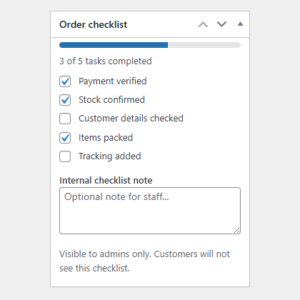
WooCommerce Order Checklist
Adds an internal checklist to WooCommerce orders so store staff can track fulfillment, verification, and custom order tasks.
-
WooCommerce Order Duplicator
Duplicate WooCommerce orders with one click, bulk actions, settings, notes support, and HPOS compatibility.
-
WooCommerce Order Item Cost Editor
Edit WooCommerce individual order item prices (not just the line total) with the “WooCommerce Order Item Cost Editor” plugin.
-
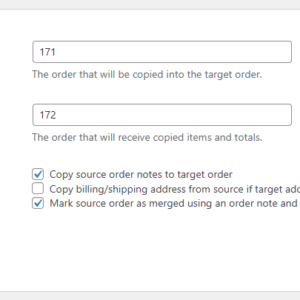
WooCommerce Order Merge
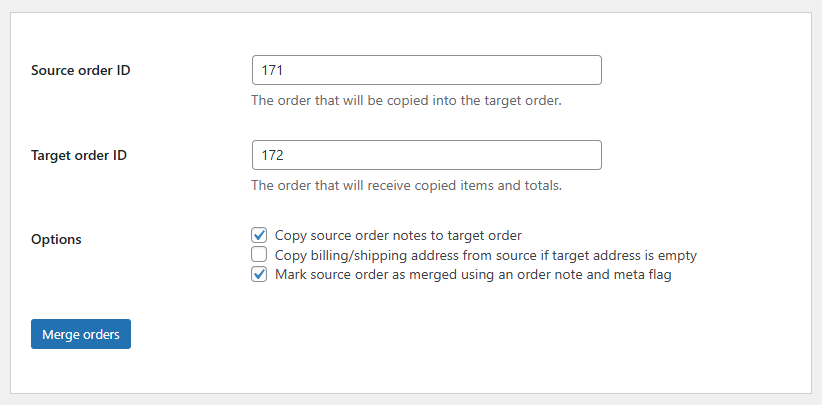
Merge WooCommerce order items, fees, shipping lines, coupons, notes, and customer details into a target order without deleting source orders.
-
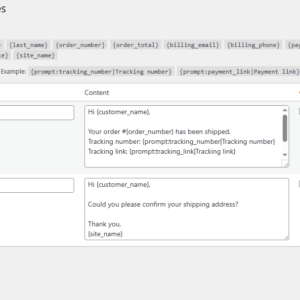
WooCommerce Order Note Templates
Create reusable order note templates and insert them into WooCommerce orders with one click, including prompt-based variables.
-
WooCommerce Order Splitter
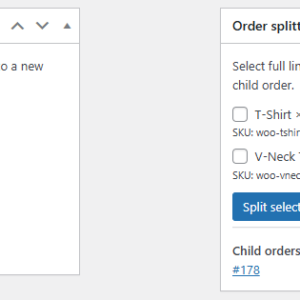
Split selected WooCommerce order items into a new child order from the admin order screen.
-
WooCommerce Order Tags
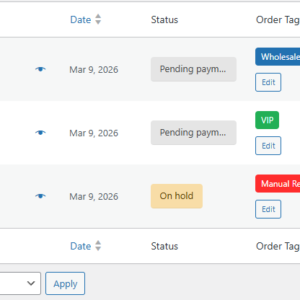
Tag, organize, and find WooCommerce orders faster.
-
WooCommerce Order Timeline
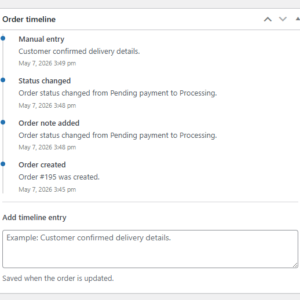
Adds a clean internal order timeline to WooCommerce orders, showing key order events, notes, status changes, and manual timeline entries.