
What is Accounts Receivable?
Accounts receivable (AR) represents the money customers owe your business for products or services delivered but not yet paid for. As those outstanding invoices are settled, they move from “owed” to “collected,” improving your cash flow and financial clarity.
Why You Need WooCommerce Accounts Receivable
Running an e-commerce store often means balancing sales, payments, and bookkeeping – especially when you offer credit terms, B2B invoicing, or delayed payment options. Without AR tracking, invoices can get lost, payments forgotten, and cash flow may become unpredictable.
WooCommerce Accounts Receivable gives you a clear and simple way to manage all outstanding balances directly inside your WooCommerce dashboard.
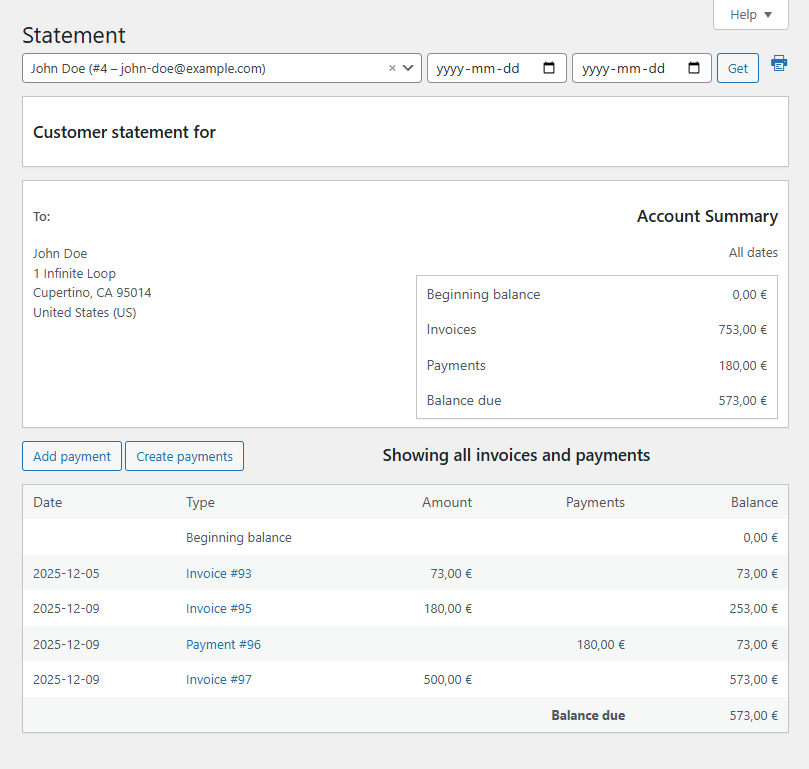
- Clear customer statements – Each user gets a statement with their full balance, including all orders (invoices) and payments. So no more confusion over what’s owed and what’s paid.
- Flexible payment recording – Payments can be logged automatically (for example, when an order status changes to “completed”) or added manually by a store manager.
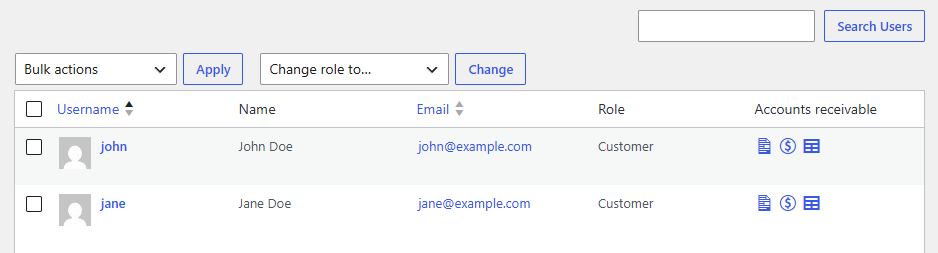
- Easy access to financial overview – View statements in the admin via the “Users → Statement” menu, the “Accounts Receivable” column, or on individual user profiles to quickly see who owes what.
Workflow
What It Does – At a Glance
- Tracks every customer’s outstanding balance (orders vs. payments), turning WooCommerce into a simple AR ledger.
- Lets you mark invoices as paid automatically or manually – perfect for online payments and offline/bank-transfer methods.
- Centralizes AR data in one place – no more external spreadsheets or manual tracking.
- Helps maintain accurate records for bookkeeping, accounting, and cash-flow forecasting, especially for B2B orders or net terms.
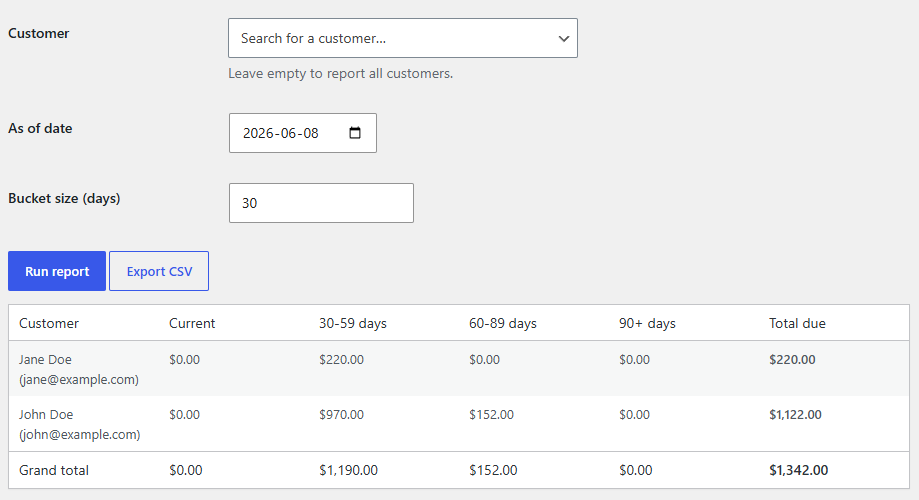
Accounts Receivable Aging Report
Analyze outstanding balances using aging buckets such as:
- Current
- 1–30 days overdue
- 31–60 days overdue
- 61–90 days overdue
- 90+ days overdue
Aging reports help identify overdue invoices, prioritize collections, and improve cash flow management.
Who It’s For
- Online stores that offer credit terms or payment-on-invoice to customers (B2B, wholesale, or delayed payment).
- Businesses that need clear visibility into who owes what and want to avoid chasing unpaid invoices manually.
- Stores that want to simplify financial management and track receivables directly inside WooCommerce without extra tools.
Spreadsheet vs. Accounting Software vs. WooCommerce Accounts Receivable Plugin
| Feature | Spreadsheet | Accounting Software | Our Plugin |
|---|---|---|---|
| Customer balances | ✓ | ✓ | ✓ |
| Works inside WooCommerce | ✗ | ✗ | ✓ |
| Manual data entry | High | Medium | Low |
| Monthly subscription | ✗ | Usually | ✗ |
In Short – What You Get
WooCommerce Accounts Receivable transforms your store into a simple, internal invoicing and receivables system. Instead of manually tracking owed payments or relying on external accounting software, you get built-in AR management: customer statements, flexible payment tracking, and a consolidated view of your receivables – all inside WooCommerce.
It’s a small plugin that can make a big difference for cash flow, bookkeeping, and customer transparency.
Users > Accounts Receivable Column
Keep track of customer balances directly from the users table in your WooCommerce admin area.
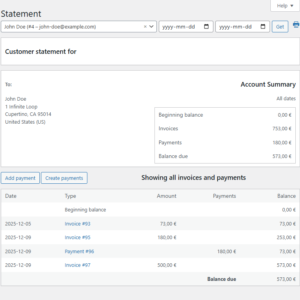
User Statement
Monitor customer balances, overdue amounts, and payment activity from a dedicated WooCommerce accounts receivable dashboard.
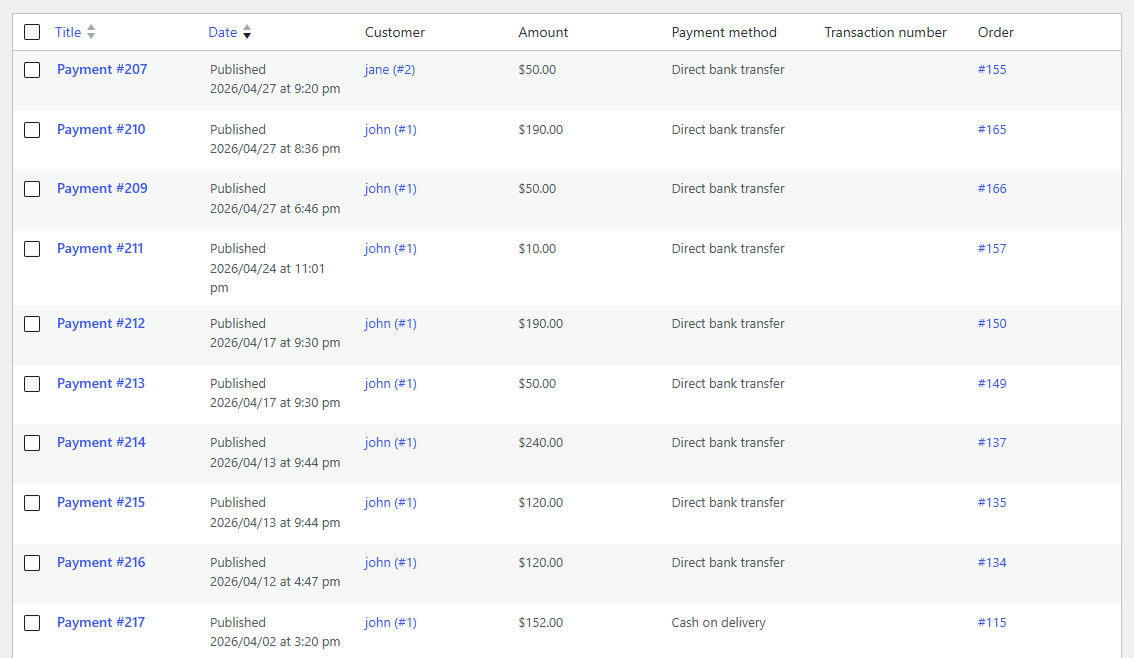
User Payments Management
View, add, edit, and track customer payments from a centralized admin screen to keep accounts receivable records accurate and up to date.
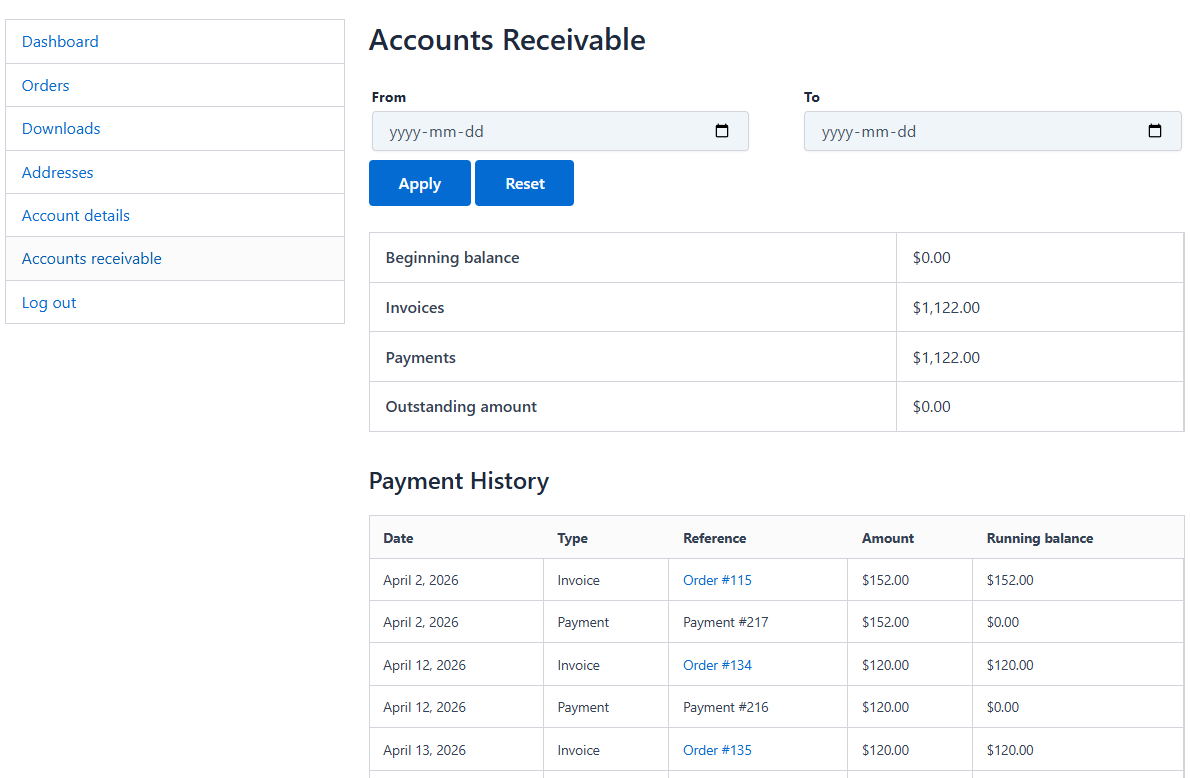
Customer Statement in My Account
Allow customers to view a detailed accounts receivable statement directly from their My Account page, including invoices, payments, outstanding balances, and transaction history.
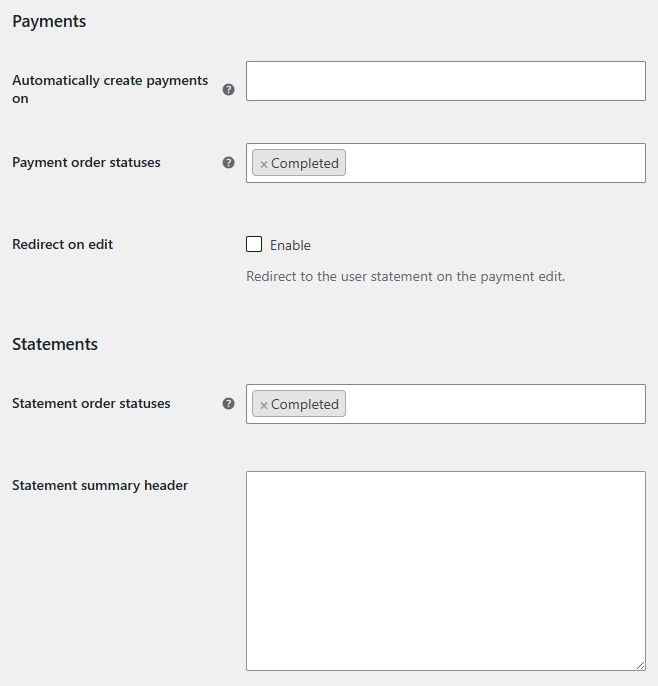
Plugin Settings
Configure payment creation, statement generation, order statuses, and customer statement options to match your WooCommerce accounts receivable workflow.
Frequently Asked Questions
What is Accounts Receivable in WooCommerce?
Accounts Receivable (AR) represents money owed by customers for orders that have not yet been paid. The plugin helps you track customer balances and outstanding payments directly within WooCommerce.
Can I offer Net 30 or Net 60 payment terms?
Yes. The plugin is suitable for stores that allow customers to place orders and pay later according to agreed payment terms such as Net 30, Net 60, or custom arrangements.
Can I track customer balances?
Yes. The plugin automatically calculates and displays customer balances, helping you quickly identify how much each customer owes.
Does the balance update automatically when a payment is received?
Yes. When a payment is recorded against an order, the customer’s outstanding balance is updated automatically.
Can I record offline payments?
Yes. Payments received by bank transfer, check, cash, or other offline methods can be reflected in WooCommerce, allowing customer balances to remain accurate.
Who is this plugin designed for?
The plugin is ideal for wholesalers, distributors, B2B stores, schools, government organizations, and businesses that allow customers to pay after placing an order.
Does it work with WooCommerce HPOS?
Yes. The plugin is fully compatible with WooCommerce High-Performance Order Storage (HPOS).
Can customers view their account balance?
Customer balances can be displayed within WooCommerce, allowing customers and store managers to review outstanding amounts and payment history.
Reviews
There are no reviews yet.