MPN for WooCommerce makes it easy to add, manage, and display Manufacturer Part Numbers (MPNs) across your WooCommerce store. Whether you sell electronics, automotive parts, tools, or any product that relies on precise identification, this plugin helps you maintain accurate product data and improve customer confidence.
WooCommerce MPN – Add Manufacturer Part Numbers to Your Store
The WooCommerce MPN plugin lets you add, manage, and optionally display Manufacturer Part Numbers (MPNs) for your products — including variations — directly in WooCommerce. It helps you maintain clean product data, improve identification, and support integrations with marketplaces and product feeds.
Why MPN Matters
Many marketplaces and comparison engines require unique product identifiers, such as MPN or GTIN, to properly list and match products. Without them, your items may be misidentified or even rejected.
By storing accurate MPNs, you:
- Improve catalog accuracy and reduce product mix-ups
- Make it easier for customers to verify they’re buying the correct item
- Provide better data for feeds, search engines, and third-party integrations
Key Features
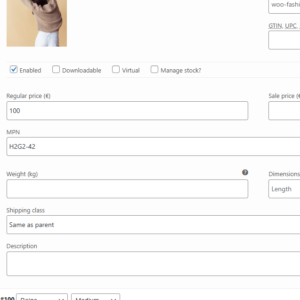
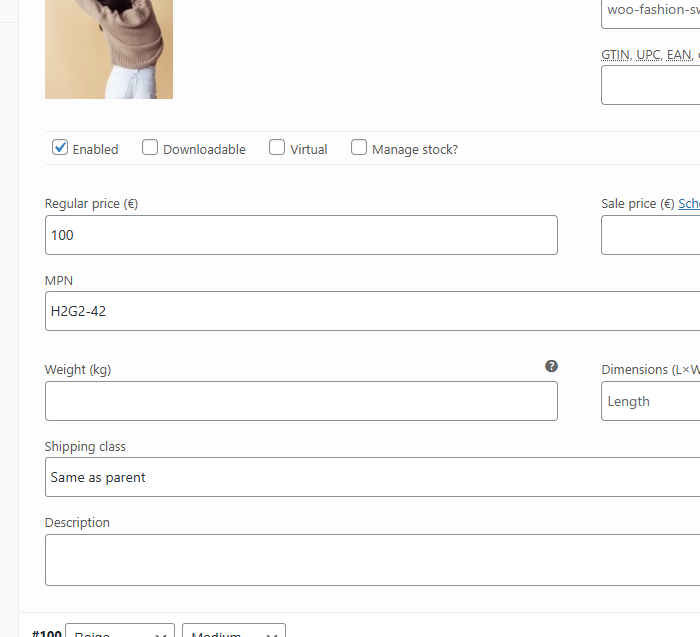
- MPN Field for Products: Add MPN values to simple and variable products from the WooCommerce product edit screen.
- Variation Support: Store a different MPN for each variation where needed (sizes, colors, models, etc.).
- Optional Frontend Display: Show MPN on product pages to help customers confirm they’re purchasing the correct part or model.
- Structured Data Friendly: Use MPNs as part of your product schema for richer, more complete product data.
- Lightweight & Native: Integrates cleanly with WooCommerce and follows familiar UI patterns in the product editor.
Perfect For
- Stores selling electronics, auto parts, tools, or industrial components.
- Merchants who need precise product identification for customer support and returns.
- Shop owners preparing their catalogs for marketplaces, feeds, or comparison engines.