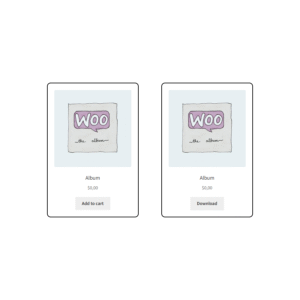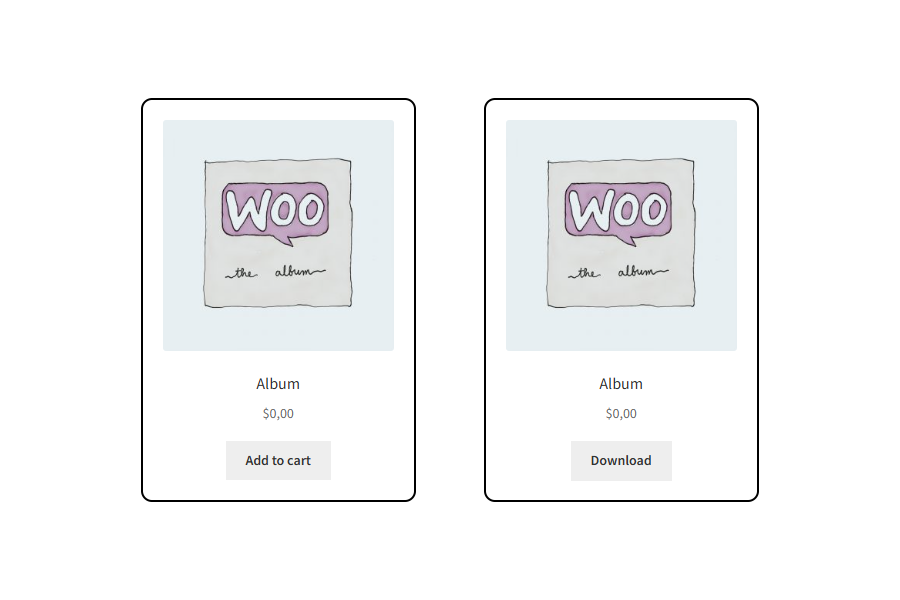
A WooCommerce plugin that automatically replaces the Add to Cart button with a Download button for free downloadable products, giving customers instant access with one click.
What the Plugin Does
This plugin is built for WooCommerce stores and is designed to automatically replace the standard “Add to Cart” button with a dedicated Download button — but only for products that meet two criteria:
- The product is set to free (i.e., price = 0).
- The product is marked as downloadable.
In other words: if you have a digital product (eBook, PDF, template, music, open-source file, etc) that you wish to give away for free, this plugin simplifies the user experience by letting them click “Download” immediately — no cart step, no checkout or payment process.
Customers can access your free files instantly — no checkout, no forms, no friction.
Key Features & Benefits
Here are the main features as described, along with how each benefit works in practice:
- Instant Download Button: The plugin swaps out the usual “Add to Cart” button with a download button for qualifying products. So instead of adding a product to the cart and checking out, a user simply clicks “Download”.
- Checkout-Free Experience: Since the product is free and downloadable, there’s no need to go through the checkout process. This removes friction, especially for users who just want a free digital file.
- Automatic Detection: The plugin checks whether the product is both “free” and “downloadable” before applying the button replacement. So you don’t have to manually toggle it for each product (in most cases).
- Variable Products: Supports variation downloads.
- Download Types: Works for both local and remote file downloads.
- Pages: Replaces the button on both the shop and single-product pages.
- Clean & Native Integration: The download button uses your theme’s default WooCommerce button styles, so it looks consistent with your store’s design.
- Easy Setup: The plugin emphasizes “Install, activate, and you’re done.” So, a minimal configuration is required to get started.
- Lightweight & Fast: The plugin leaves a minimal footprint, meaning it shouldn’t bloat your site performance or slow things down noticeably.
Ideal Use Cases
Here are scenarios where the plugin is particularly valuable:
- Digital creators offering free samples. For example, you might sell a full eBook or a paid template, but give away a “chapter zero” or a sample resource.
- Stores that provide free eBooks, guides, and downloadable content. If you want to offer resources for free to build engagement, drive mailing list sign-ups, or build loyalty, this simplifies the process.
- Membership websites offering free resources. Members may receive free downloads as part of their sign-up benefits. The plugin helps streamline that.
- Developers or open-source authors sharing demos, open-source files, or free assets. If you have downloadable files you give away, the plugin reduces the friction of “Add to Cart → Checkout → Download” to “Download now”.
Why It’s Useful
- Better UX (User Experience). When a user sees “Download” instead of going through a checkout flow for a free item, it communicates clearly and avoids confusion.
- Reduced friction / higher conversion. Especially for free items, eliminating the cart/checkout step means fewer drop-offs.
- Cleaner store presentation. Keeps the workflow for free items separate from paid ones, so you don’t force all users through the same process.
- Time saver. For site admins, you don’t need to code or customize much – the plugin handles the logic of detecting free downloadable items and presenting the right button.
Things to Check / Consider
- Make sure your products are properly marked as downloadable (and optionally virtual) in WooCommerce settings. The core WooCommerce guide on downloadable products explains how the “Downloadable” checkbox and file uploads work.
- If you also sell paid downloadable items, note that this plugin is specifically for “free & downloadable” items — so paid items will still go through the normal cart/process unless you use additional logic or plugins.
- Styling & compatibility. While the plugin adapts to your theme’s button styles, always test on your store (front end and mobile) to ensure the download button appearance and behaviour meet your expectations.
- Performance. It is lightweight, but, as with any plugin, especially for digital downloads, ensure your hosting and file-serving setup is optimized. For large file downloads, you might want to review WooCommerce’s recommended settings for download methods (force download vs. redirect) to ensure a good user experience & security.
- Use case clarity. This is best for free digital items. If you want to give away a limited-access free download (e.g., require email capture, membership, or limit downloads), you may need additional plugin features or customizations.