
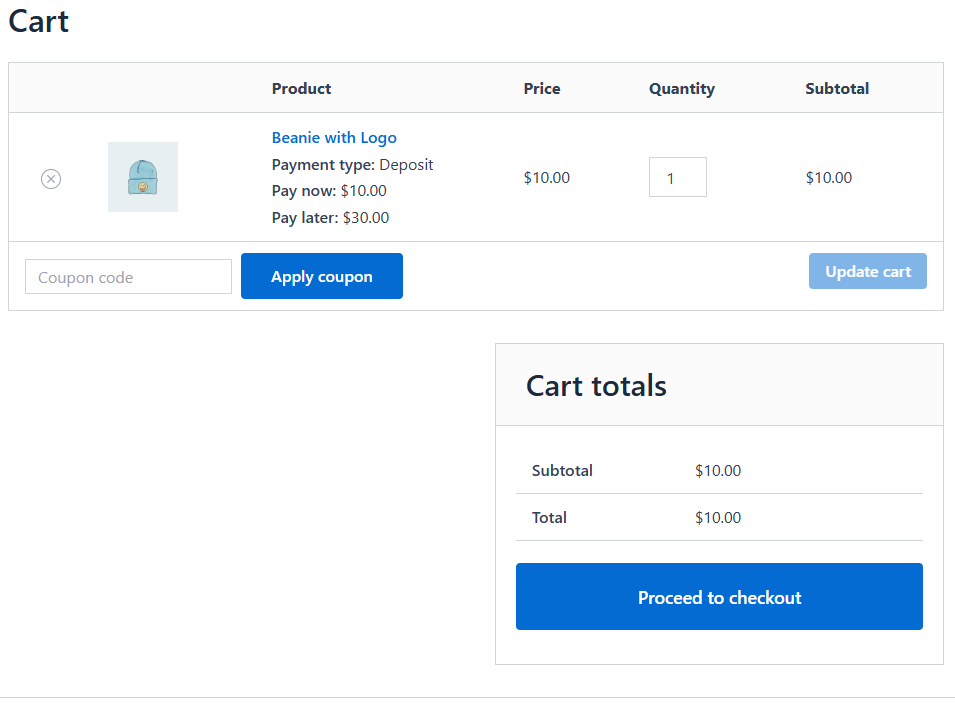
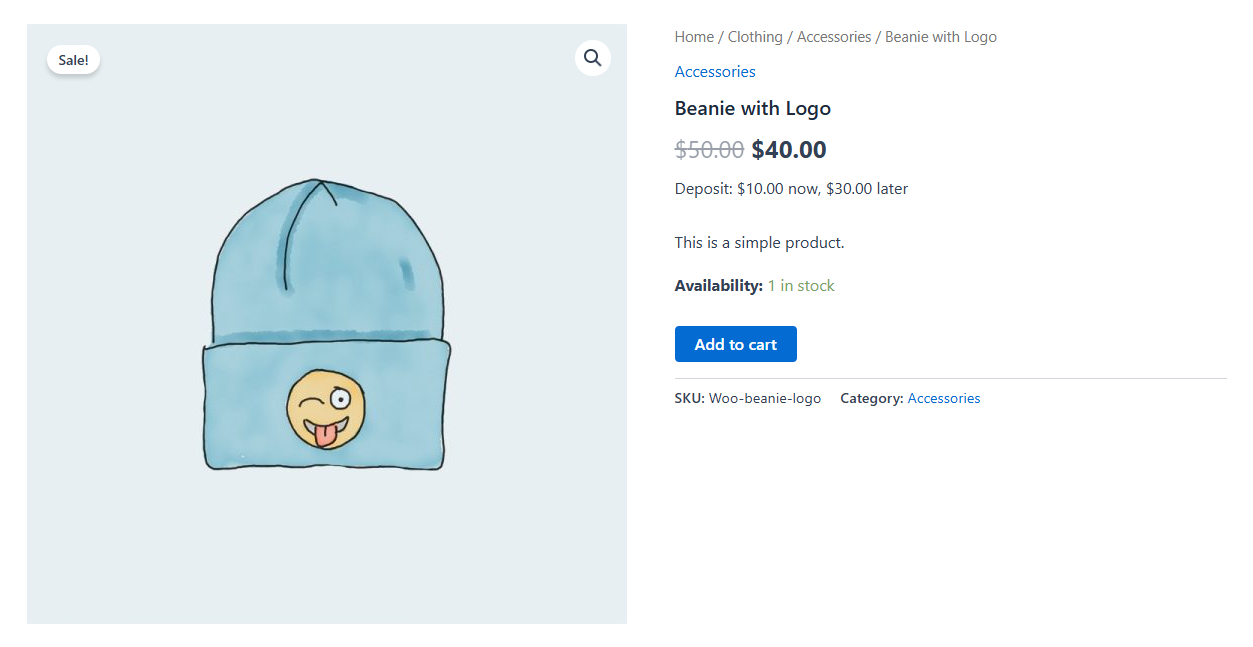
Plugnition Deposits for WooCommerce lets you accept partial payments for products, so customers can place an order by paying a deposit now and the remaining balance later. It is a practical, lightweight solution for stores that sell high-value items, custom products, made-to-order goods, pre-orders, or anything that benefits from a more flexible payment flow.
Instead of forcing customers to pay the full amount upfront, you can enable deposits on selected products and define either a fixed deposit amount or a percentage-based deposit. The plugin automatically adjusts the initial checkout total, stores the remaining balance on the order, and gives customers a simple way to pay the rest later from their account.
Why use deposits?
Deposits can help reduce purchase hesitation, improve conversions on expensive products, and make it easier for customers to commit to an order. This is especially useful for businesses that sell custom-built products, wholesale items, event-related products, pre-orders, or goods that require confirmation before final payment.
Main features
- Enable deposits for individual WooCommerce products
- Support for simple products and variable products
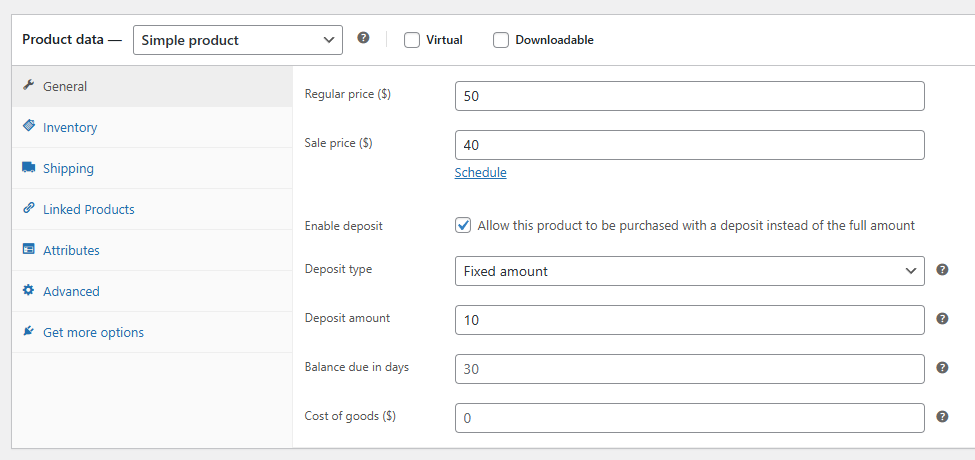
- Set a fixed deposit amount or a percentage deposit
- Variation-level deposit settings for more control
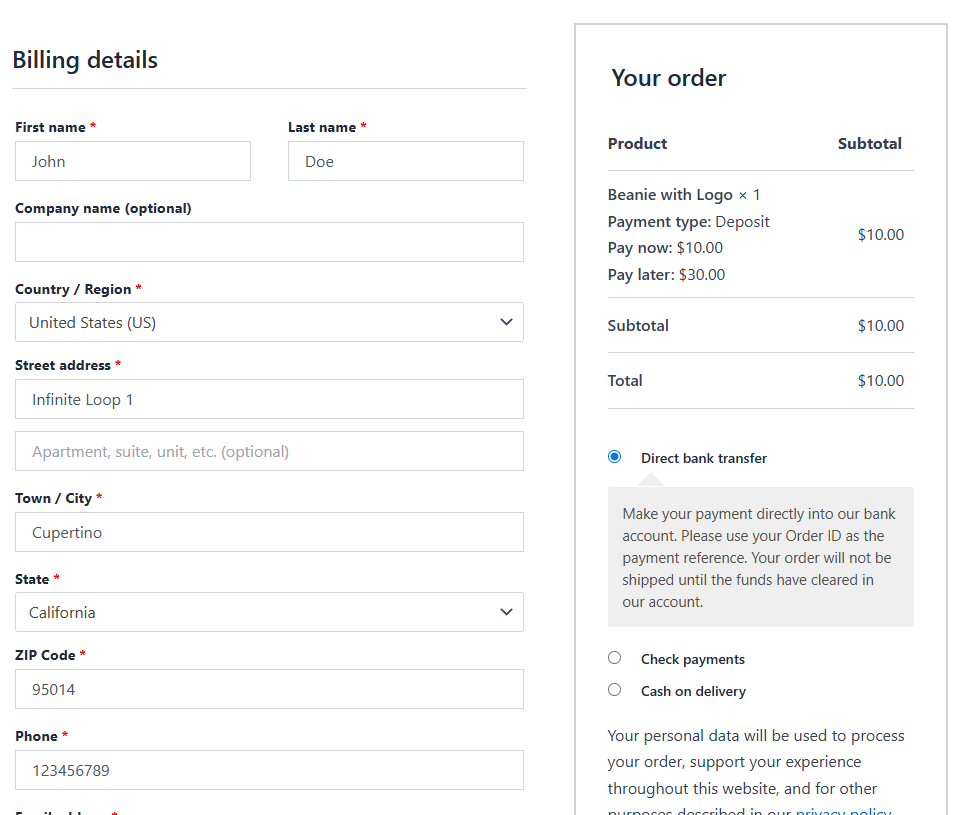
- Charge only the deposit during the initial checkout
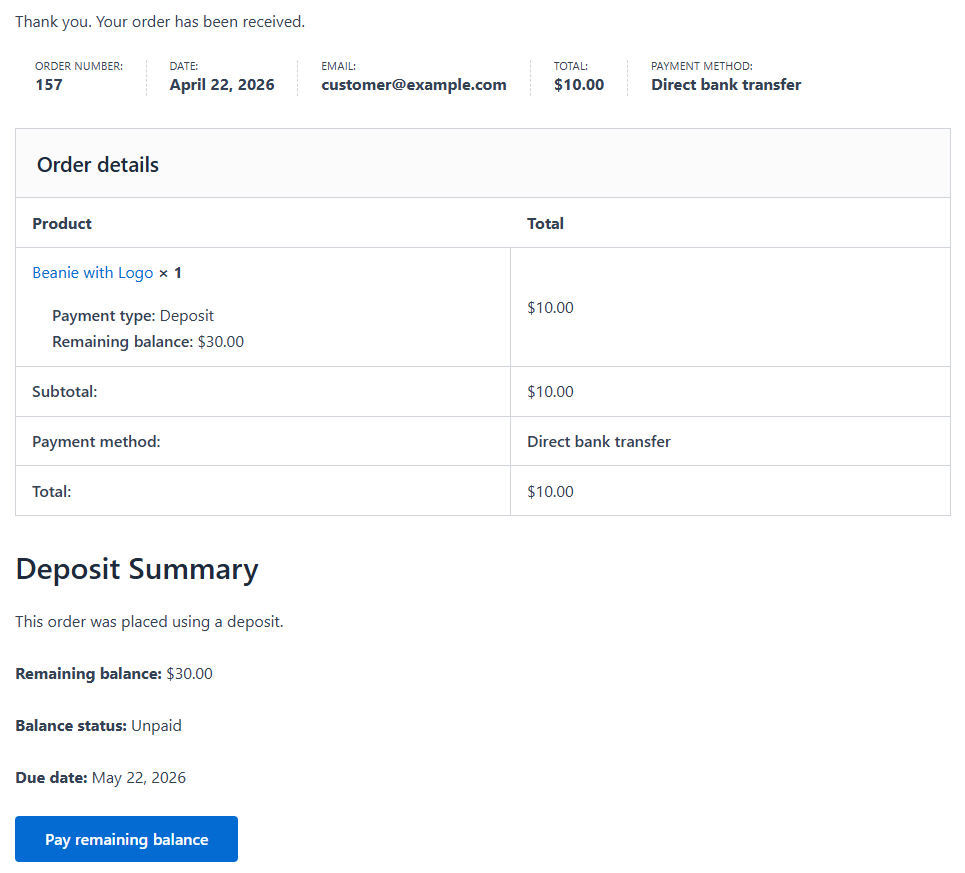
- Automatically calculate and store the remaining balance
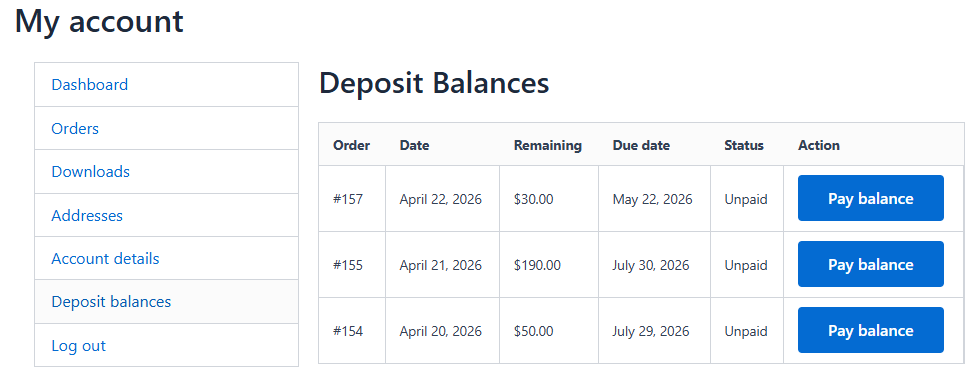
- Customer-facing Deposit balances area in My Account
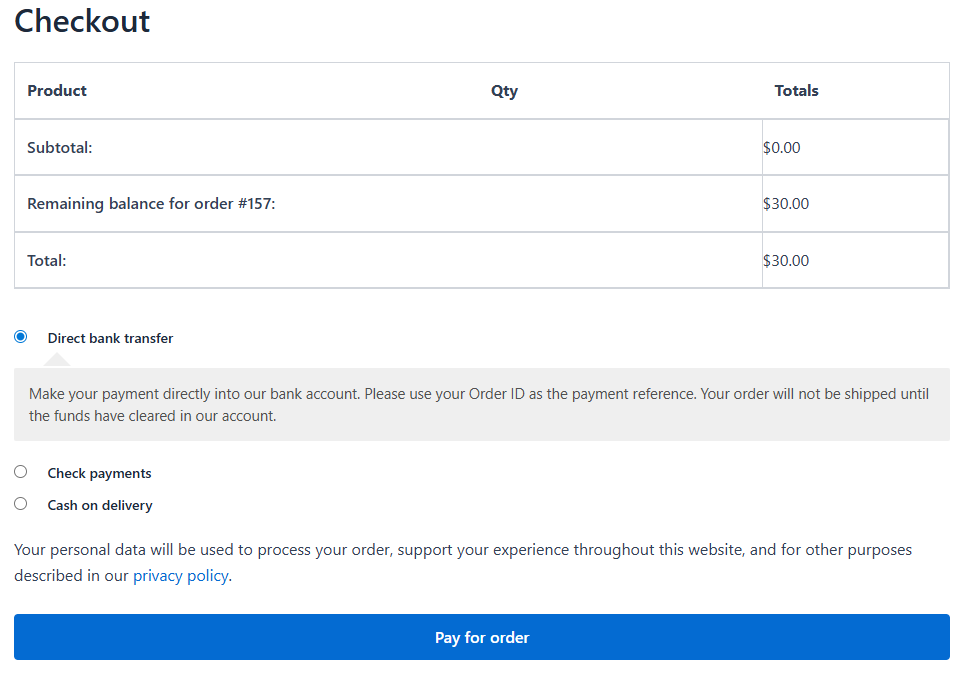
- Create a separate balance payment order when the customer is ready to pay the rest
- Optional balance due dates
- Set “due in days” on products and variations
- Reminder emails for unpaid balances
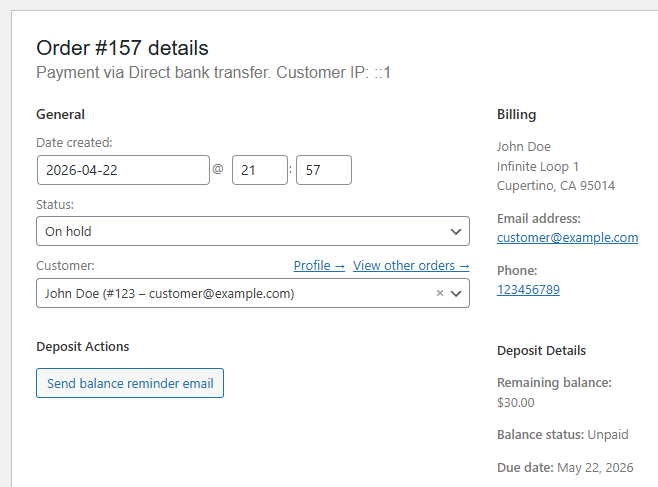
- Manual reminder action in the admin area
- Admin order summary showing deposit and balance details
- Remaining balance adjustment after supported refunds
Simple deposit setup
The plugin is designed to be easy to configure. On each product, you can enable deposits and choose how the deposit should be calculated. For variable products, you can configure each variation separately. This gives you flexibility without adding unnecessary complexity.
Smooth customer experience
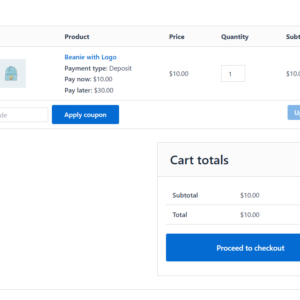
When a product with deposits enabled is purchased, the customer pays only the deposit at checkout. The plugin stores the unpaid balance and displays it clearly in the order details. Customers can then log into their account, open the dedicated balance payment area, and generate a payable balance order for the remaining amount.
This creates a straightforward flow that is easy for customers to understand and easy for store owners to manage.
Useful for many types of stores
- Made-to-order or custom products
- Pre-order items
- High-ticket products
- B2B or wholesale orders
- Products that require confirmation before final payment
- Stores that want more flexible payment options without a bloated plugin
Reminder emails and due dates
To help you collect outstanding balances, the plugin includes balance due dates and reminder emails. You can define how many days after purchase the remaining balance should be due, and the plugin can send reminder emails for unpaid balances. There is also a manual reminder option in the admin area when you want to follow up yourself.
Clear admin visibility
Order admins can quickly see deposit-related details directly in the order view, including how much was paid upfront, how much remains outstanding, and whether a balance payment order has been created. This helps your team manage partially paid orders more confidently.
Built to stay lightweight
Plugnition Deposits for WooCommerce focuses on the core deposit workflow without unnecessary bloat. It is built for store owners who want a clean, practical solution that covers the essential deposit use case while remaining easy to use and maintain.
Important notes
- Designed for WooCommerce stores that want a lightweight deposit workflow
- Supports product-level and variation-level deposit settings
- Balance payments are handled through a separate follow-up order
- Refund-related balance adjustments are included for supported deposit scenarios
- Some advanced edge cases around taxes, shipping splits, and highly customized checkout flows may require additional testing, depending on your setup
Make large purchases easier
If you want to give customers a more flexible way to buy without forcing full upfront payment, Plugnition Deposits for WooCommerce gives you a clean and effective deposit system that fits naturally into your WooCommerce store.
Screenshots
Frequently Asked Questions
How does the WooCommerce Deposits plugin work?
The plugin allows customers to pay a deposit during the initial checkout instead of paying the full product price. It automatically calculates and stores the remaining balance, which the customer can pay later through a separate balance payment order.
Can I offer deposits only for selected products?
Yes. Deposits can be enabled individually for selected WooCommerce products, so other products can continue to require full payment at checkout.
Can deposits be a fixed amount or a percentage?
Yes. You can charge either a fixed deposit amount or a percentage of the product price.
Does the plugin support variable products?
Yes. The plugin supports both simple and variable products. Deposit settings can be configured separately for individual variations, allowing different deposit requirements for each variation.
How do customers pay the remaining balance?
Customers can view their outstanding balances in the dedicated Deposit Balances area under My Account. When they are ready to pay, they can create a separate balance payment order and complete it using your available WooCommerce payment methods.
Can I set a due date for the remaining balance?
Yes. You can specify how many days after the initial purchase the balance becomes due. Due periods can be configured for individual products and variations.
Does the plugin send balance payment reminders?
Yes. The plugin can send reminder emails for unpaid balances. Store administrators can also trigger a reminder manually from the admin area when needed.
Can administrators see deposit information on an order?
Yes. The WooCommerce order screen displays a deposit summary showing the amount paid upfront, the outstanding balance, and whether a balance payment order has been created.
What happens to the remaining balance after a refund?
The plugin can adjust the outstanding balance after supported refunds, helping keep the deposit and balance information accurate. Complex refund, tax, shipping, or customized checkout scenarios may require additional testing.
Is the plugin compatible with WooCommerce HPOS?
Yes. WooCommerce Deposits is compatible with High-Performance Order Storage (HPOS).
Reviews
There are no reviews yet.