If your WooCommerce store sells annual subscriptions, prepaid services, software licenses, maintenance plans, memberships, or training packages, recognizing the entire payment as revenue immediately may result in misleading financial reports.
Although a customer may pay today, the related product or service might be delivered over several months. Under accrual accounting, the revenue is generally recognized as it is earned rather than when the payment is received.
In this guide, you will learn what deferred revenue is, when WooCommerce stores need to track it, and how to automate revenue recognition without relying on spreadsheets.
What Is Deferred Revenue?
Deferred revenue, also known as unearned revenue, is money received from a customer before the related product or service has been fully delivered.
Instead of recording the entire payment as revenue immediately, the amount is initially treated as a liability. Revenue is then recognized gradually as the business fulfills its obligations to the customer.
This approach provides a more accurate picture of the business’s financial performance during each reporting period.
Deferred Revenue Example
Suppose your WooCommerce store sells a 12-month website maintenance package for $1,200.
The customer pays the full amount when placing the order. However, your business will provide the service throughout the following 12 months.
Instead of recognizing the entire $1,200 in the month of purchase, you could recognize $100 each month:
| Month | Revenue Recognized | Remaining Deferred Revenue |
|---|---|---|
| Month 1 | $100 | $1,100 |
| Month 2 | $100 | $1,000 |
| Month 3 | $100 | $900 |
| Months 4–11 | $100 per month | Reduced by $100 each month |
| Month 12 | $100 | $0 |
This creates a financial report that more accurately reflects when the service is provided.
Why WooCommerce Makes Deferred Revenue Difficult
WooCommerce is designed to record orders, payments, refunds, taxes, and customer information. However, it does not include a built-in system for creating and managing revenue recognition schedules.
By default, WooCommerce does not automatically:
- Create revenue recognition schedules for individual products.
- Divide an order item’s revenue across multiple months.
- Track recognized and deferred balances.
- Adjust future recognition entries after a refund.
- Provide deferred revenue reports.
- Export recognition schedules for accounting purposes.
Without a dedicated system, businesses often manage this information in spreadsheets.
This can lead to repetitive month-end work, inconsistent calculations, outdated records, and errors when orders are refunded or modified.
Which WooCommerce Stores Need Deferred Revenue?
Deferred revenue tracking may be useful whenever customers pay before your business has fully delivered the related value.
Common examples include WooCommerce stores selling:
- Annual software licenses.
- Maintenance and support plans.
- Memberships.
- Online courses.
- Consulting retainers.
- Prepaid service packages.
- Training programs.
- Subscription products.
- Hosting packages.
- Extended service agreements.
For example, a one-year software license may be paid for upfront, while access, updates, and support are provided throughout the year.
In this situation, recognizing the entire amount on the purchase date may not accurately represent when the revenue is earned.
How Deferred Revenue Tracking Works
A typical WooCommerce deferred revenue workflow includes the following steps:
- Enable deferred revenue tracking for a product.
- Define the recognition period or schedule dates.
- Allow the customer to purchase the product normally.
- Generate a recognition schedule from the completed order.
- Recognize part of the revenue during each scheduled period.
- Track the amount already recognized.
- Track the amount that remains deferred.
For example, a product priced at $600 with a six-month recognition period could generate six entries of $100 each.
The schedule would allow you to see how much revenue belongs to each month without manually calculating it after every order.
Handling Refunds
Refunds can make deferred revenue calculations more complicated.
Suppose a customer purchases a 12-month service and requests a partial refund after three months. Some of the revenue may already have been recognized, while the remaining amount is still scheduled for future periods.
Without an automated system, you may need to determine:
- How much revenue has already been recognized.
- How much remains deferred.
- Which future schedule entries should be reduced.
- Whether the recognition schedule should be shortened or recalculated.
A dedicated deferred revenue solution can update future schedule entries while preserving the historical amounts that have already been recognized.
This helps keep your records consistent with the order and refund information stored in WooCommerce.
Exporting Data for Your Accountant
You may not need a complete accounting platform inside WordPress. In many cases, you only need accurate revenue recognition data that can be reviewed by your accountant or imported into another system.
A useful deferred revenue report should include information such as:
- Order number.
- Customer.
- Product.
- Original amount.
- Recognition date.
- Amount recognized.
- Remaining deferred amount.
Exporting this information to a CSV file can simplify month-end reconciliation and make it easier to create accounting journal entries.
You can also use the exported data with accounting platforms such as QuickBooks, Xero, or another bookkeeping system.
Automating Deferred Revenue in WooCommerce
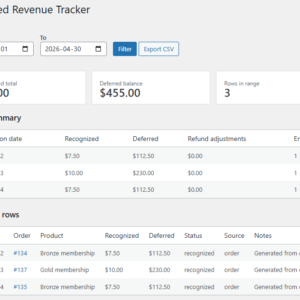
Instead of maintaining separate spreadsheets, you can manage recognition schedules directly in WooCommerce with the WooCommerce Deferred Revenue Tracker plugin.
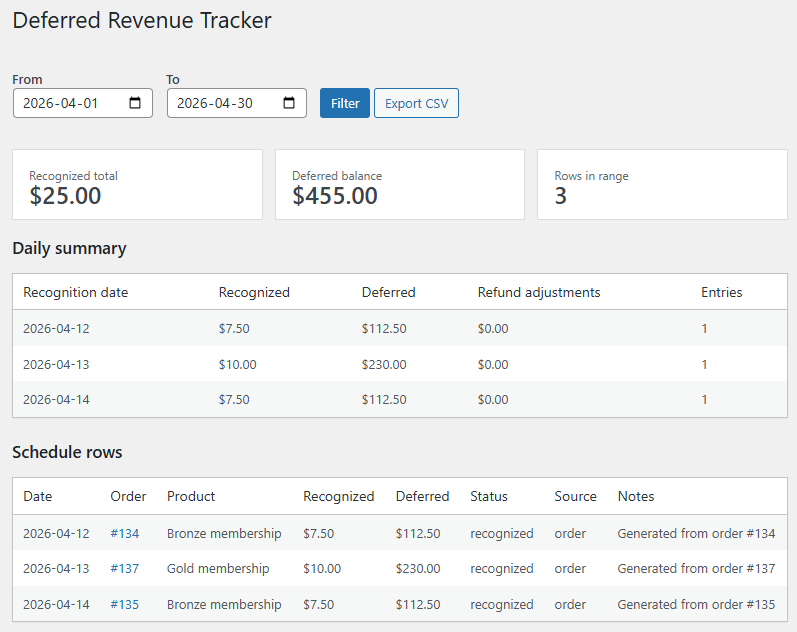
The plugin allows you to configure deferred revenue settings at the product level and automatically create recognition schedules when customers place orders.
Depending on your setup, you can:
- Enable deferred revenue for selected products.
- Recognize revenue over a configurable number of months.
- Set fixed recognition start and end dates.
- Generate schedules automatically from WooCommerce orders.
- View revenue schedules from the order edit page.
- Track recognized revenue and remaining deferred balances.
- Adjust future schedule entries after refunds.
- Export recognition data to CSV.
Because the schedules are connected to WooCommerce orders, you do not need to manually copy order data into a separate spreadsheet.
This creates a clearer connection between the original transaction, its recognition schedule, and any later refunds or adjustments.
Benefits of Automating Deferred Revenue
Automating deferred revenue management can provide several practical benefits.
Reduce Manual Calculations
Recognition amounts and dates can be generated automatically instead of being calculated separately for every order.
Save Time During Month-End Closing
Rather than rebuilding reports from order data, you can review existing schedules and export the relevant recognition entries.
Improve Financial Visibility
You can see how much revenue has already been recognized and how much remains deferred.
Keep Records Connected to WooCommerce
Revenue schedules remain associated with the orders and products that generated them.
Handle Refunds More Consistently
Future recognition entries can be adjusted without manually recreating the entire schedule.
Provide Better Data to Your Accountant
Structured reports and CSV exports make it easier to prepare journal entries and reconcile deferred revenue balances.
Final Thoughts
Deferred revenue is important for businesses that receive payment before fully delivering a product or service.
If your WooCommerce store sells annual licenses, memberships, prepaid services, support packages, courses, or similar products, tracking revenue only when an order is paid may not accurately reflect when that revenue is earned.
Spreadsheets can work for a small number of orders, but they become increasingly difficult to maintain as sales volume grows, refunds occur, and recognition periods overlap.
The WooCommerce Deferred Revenue Tracker helps automate schedule creation, track recognized and deferred balances, handle refunds, and export accounting-ready data directly from WooCommerce.
Recommended Plugins
-
WooCommerce Accounts Receivable
Track customer balances and unpaid orders directly in WooCommerce.
-
WooCommerce Deferred Revenue Tracker
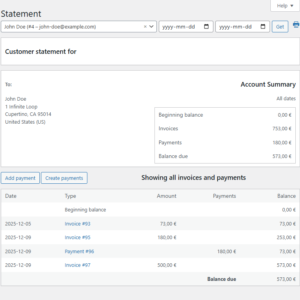
Track deferred revenue for WooCommerce products, generate monthly recognition schedules, backfill schedules for historical orders, adjust future entries on refunds, and export accounting-ready CSV reports.
-
WooCommerce Tax Liability Dashboard
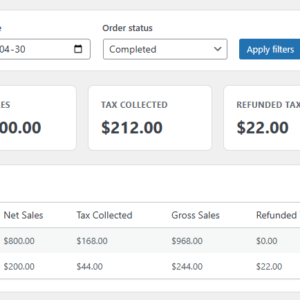
Track WooCommerce tax liability by country, period, and order status with a clear, lightweight admin dashboard and CSV export.